Guided Setup: Cut Dependency and Setup Time by Up to 50%
Overview
Problem
To onboard and setup applications the client support teams and client admin teams needed handholding. They constantly needed support from product and development teams because they got lost in the process
Outcome
With guided setup we were apple to reduce the dependency on and reduce setup time by upto 50%
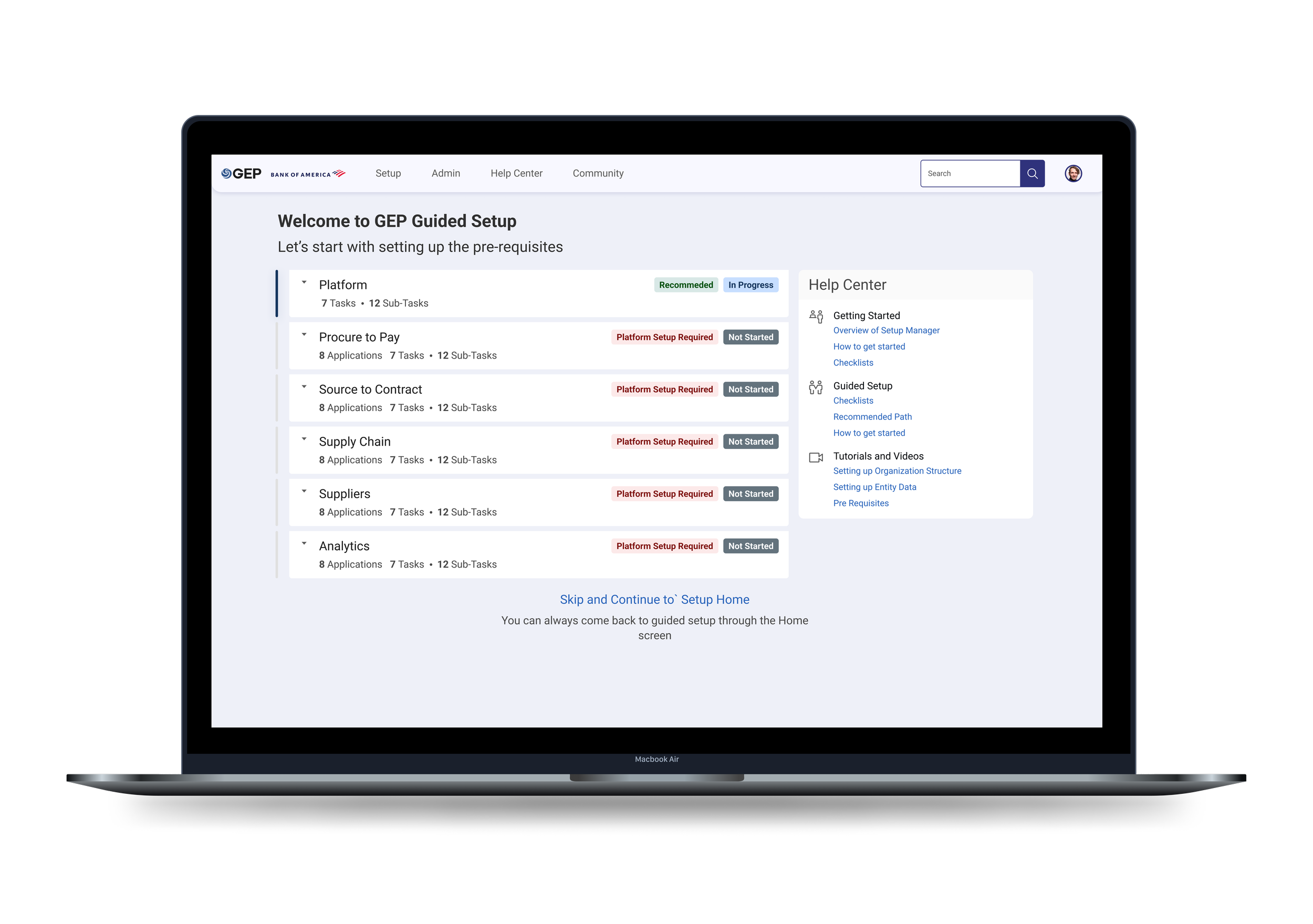
Setup Process
GEP - a procurement and supply chain software company works with 550 clients. Whenever a new client is onboarded, they need to go through the initial setup and configuration. The initial setup includes:
- Setting up an organization structure
- Uploading company specific master data
- Defining rules and workflows to run all client applications
- Modifying and publishing out of the box feature configurations
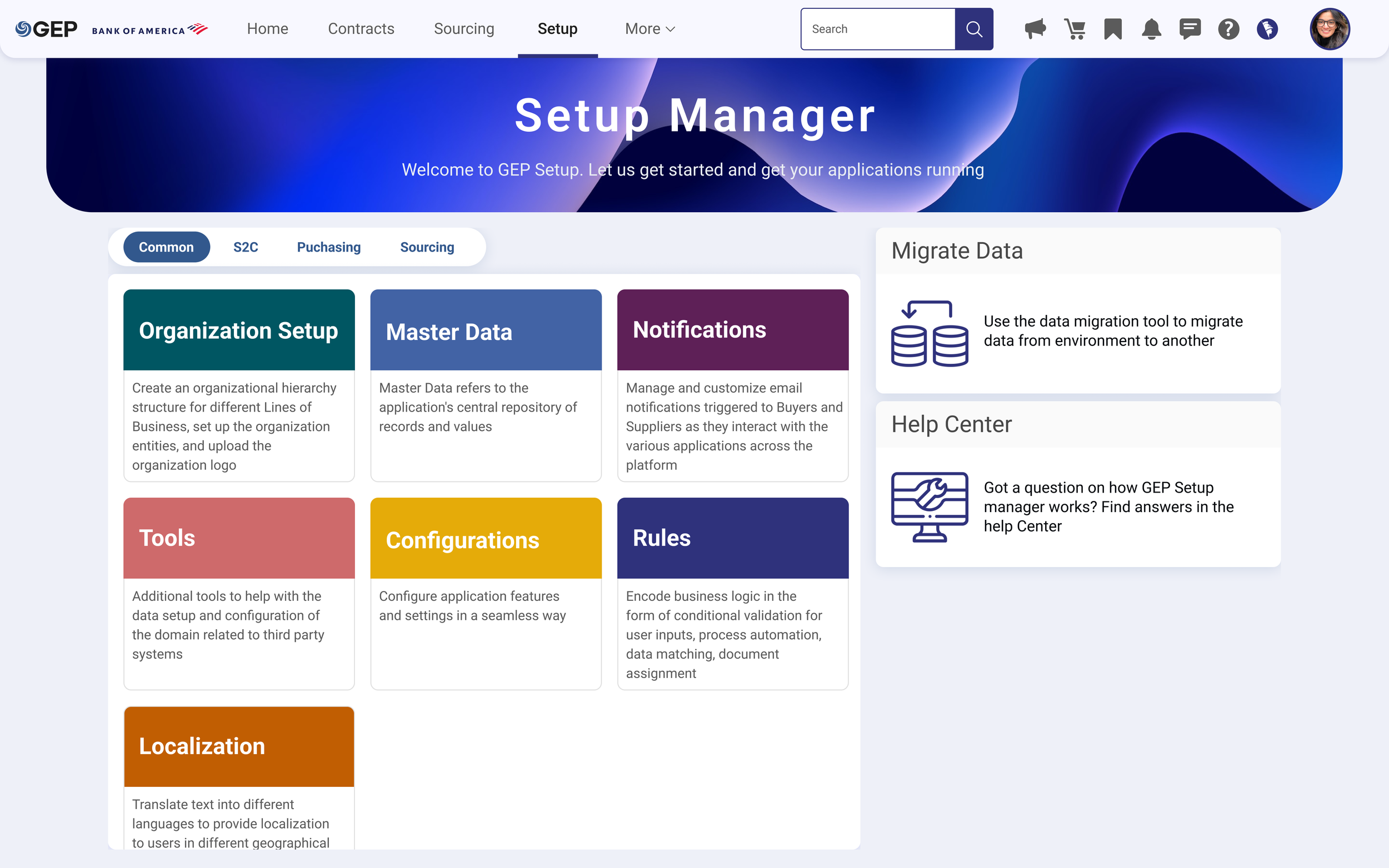
Defining the Scope
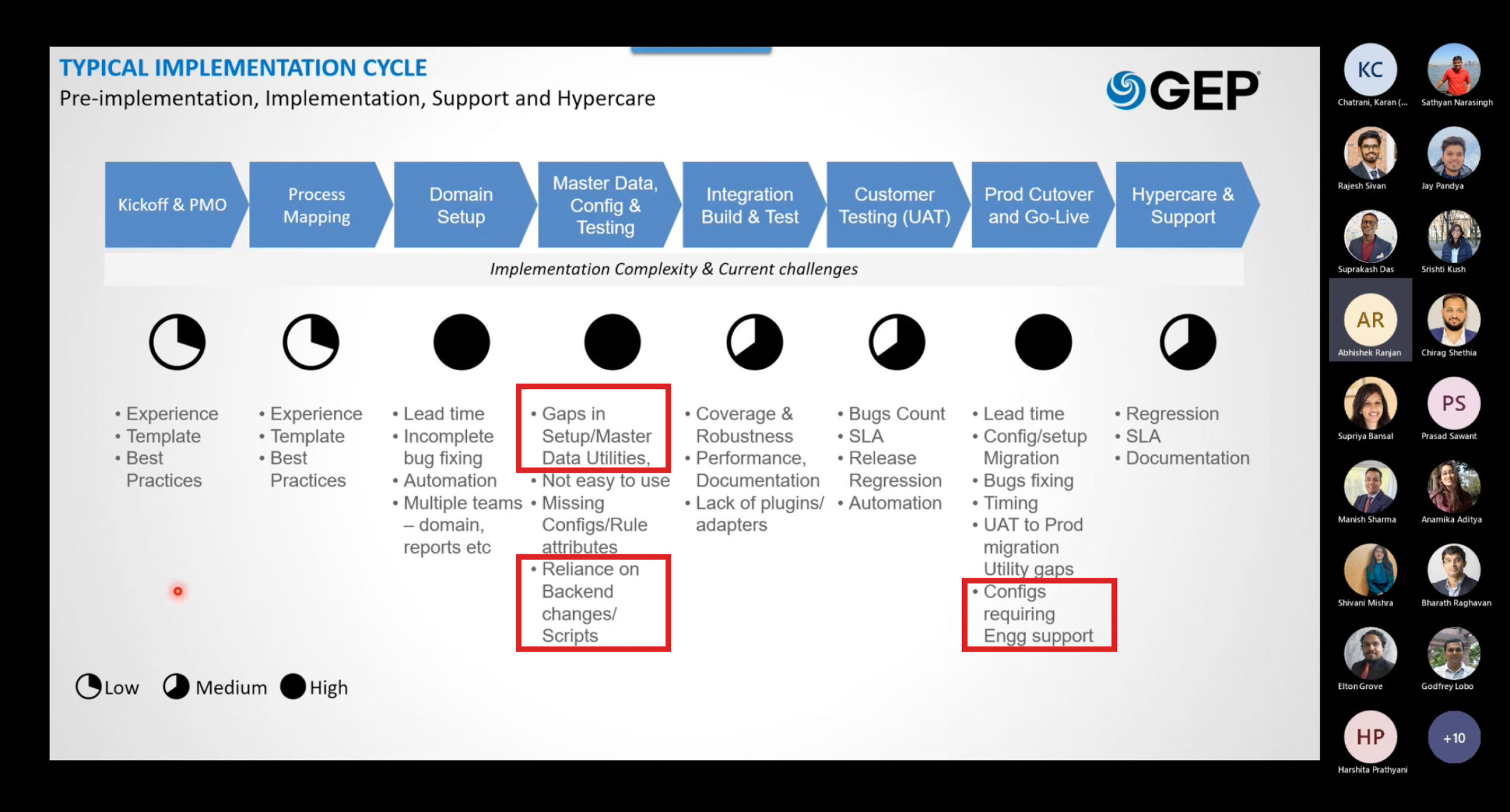
We conducted a workshop to understand the pain points of the users. The 3 hour remote workshop was attended by over 20 expert users. We constantly heard our novice and client users say:
“What is the process to setup? There are so many options on the screen, where do I start?”
Synthesing findings
“How can we guide new users to setup their applications without any hand-holding from GEP support team”
We synthesized the feedback and identified the following patterns
- The users would repeatedly need hand-holding in setting up their applications
- There was no sequence defined to setup
- Users could not figure out the prerequisites and inter-dependencies from the home screen
- Repeat and returning users were familiar with process and liked the existing screens
What is Guided Setup?
We collaborated with product and business teams to come up with the idea of “Guided Setup”
- Guided setup assists first time and novice users to go through the initial configuration of their applications
- It organized configuration activities into categories governed by application
- It also clearly provided information on pre-requisites and interdependencies along with help content.
- The guided setup process also keeps track of what is completed, in progress and needs to be done, helping users start from where they left off
How did we start?
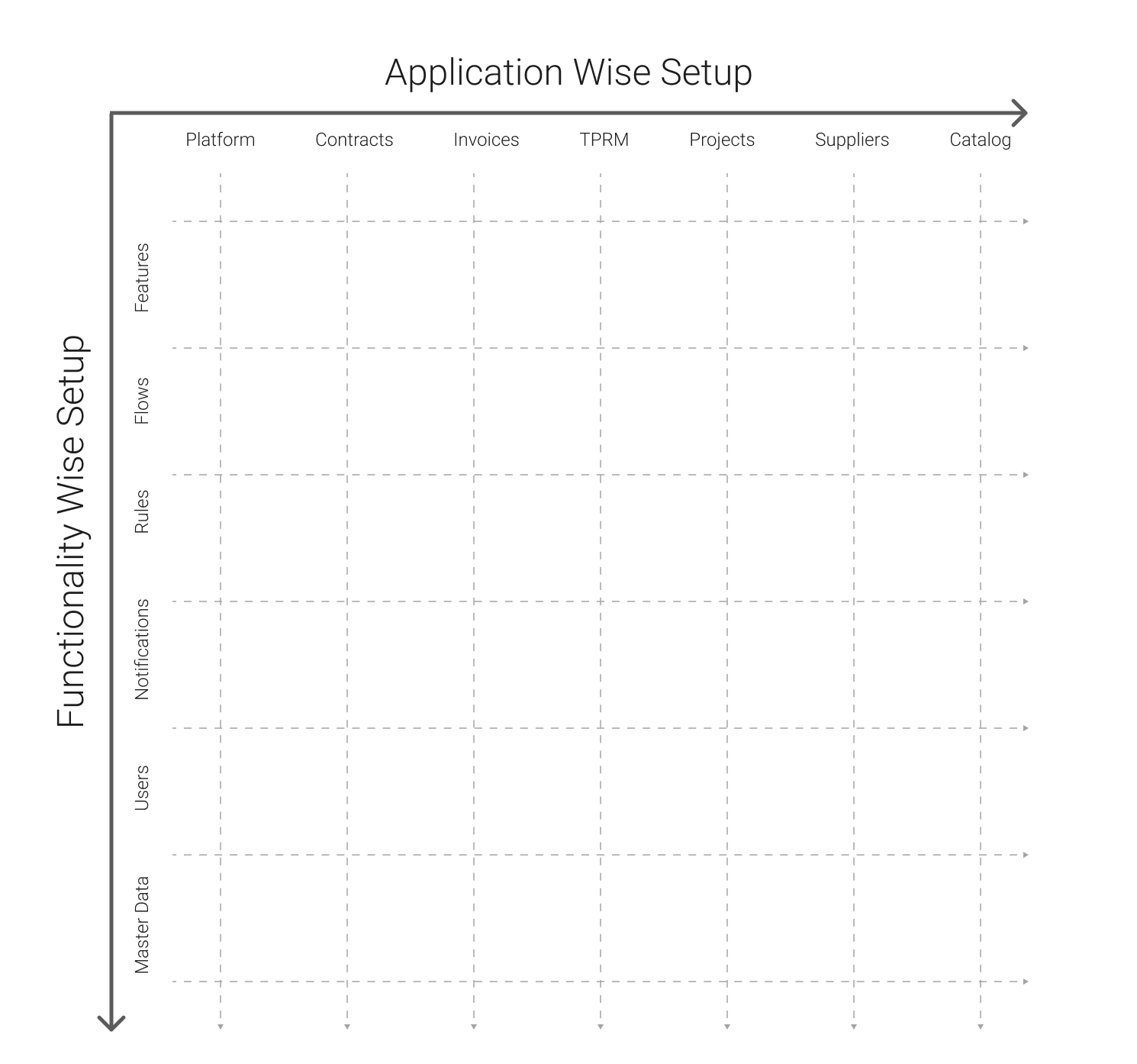
Organising information
Based on the information we had so far, we came up with two ways to organize the information -by application & by functionality.
Validating the Information Hierarchy
We conducted online focus group sessions and individual interviews with over 15 experienced internal customer team members to understand if there is a standard process they use to Setup for each client. These were some of the insights we gained from them:
1. They started with setting up Organizational setup; which includes adding logo, brand colors, Organization structure, master data that will be common to all applications
3. The Setup process was continuous and iterative, many parts of the process were ongoing at the same time
2. Once they were done with Organization setup, they setup each application separately. The go lives happened for different applications at different times
Wireframing
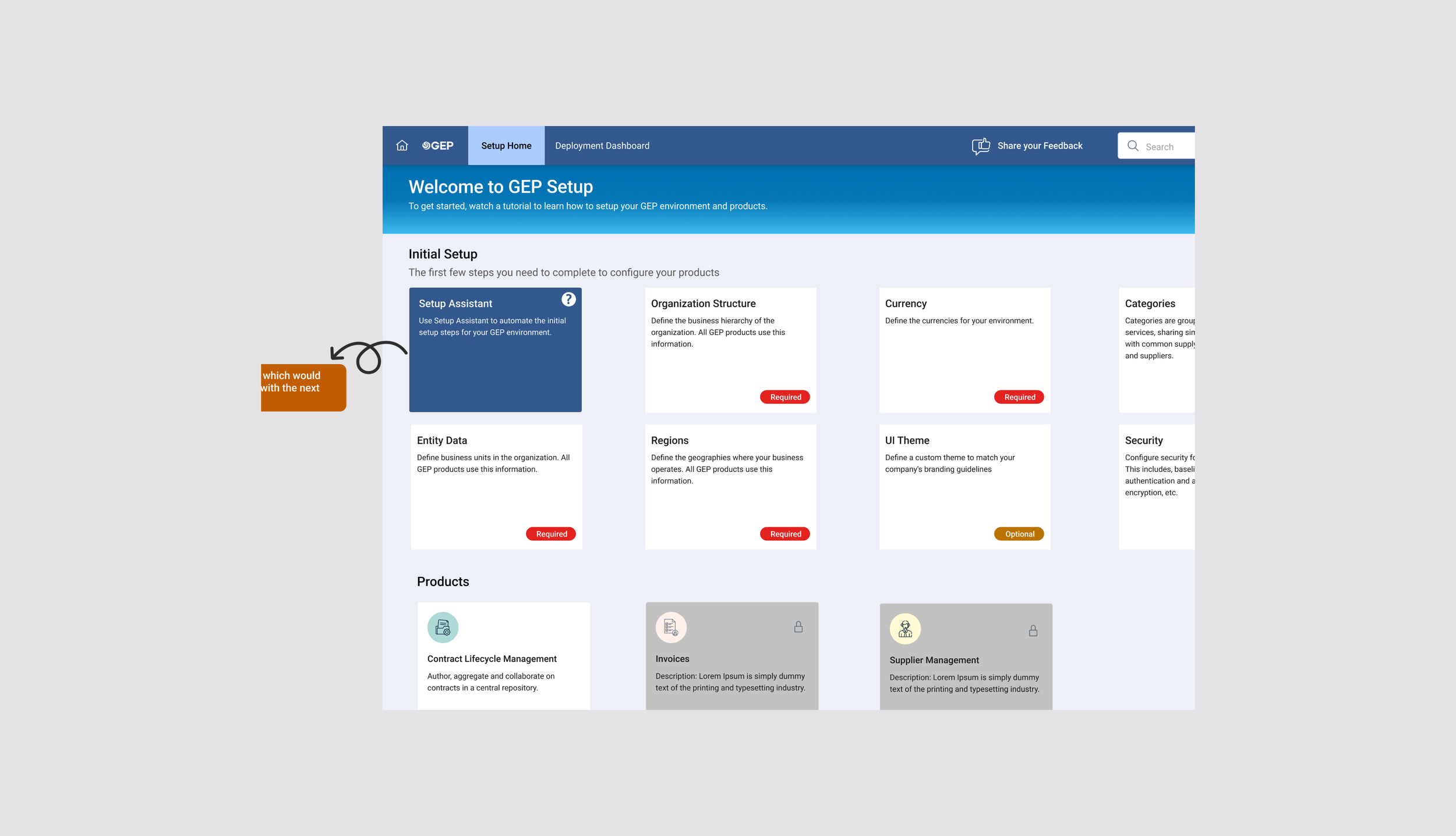
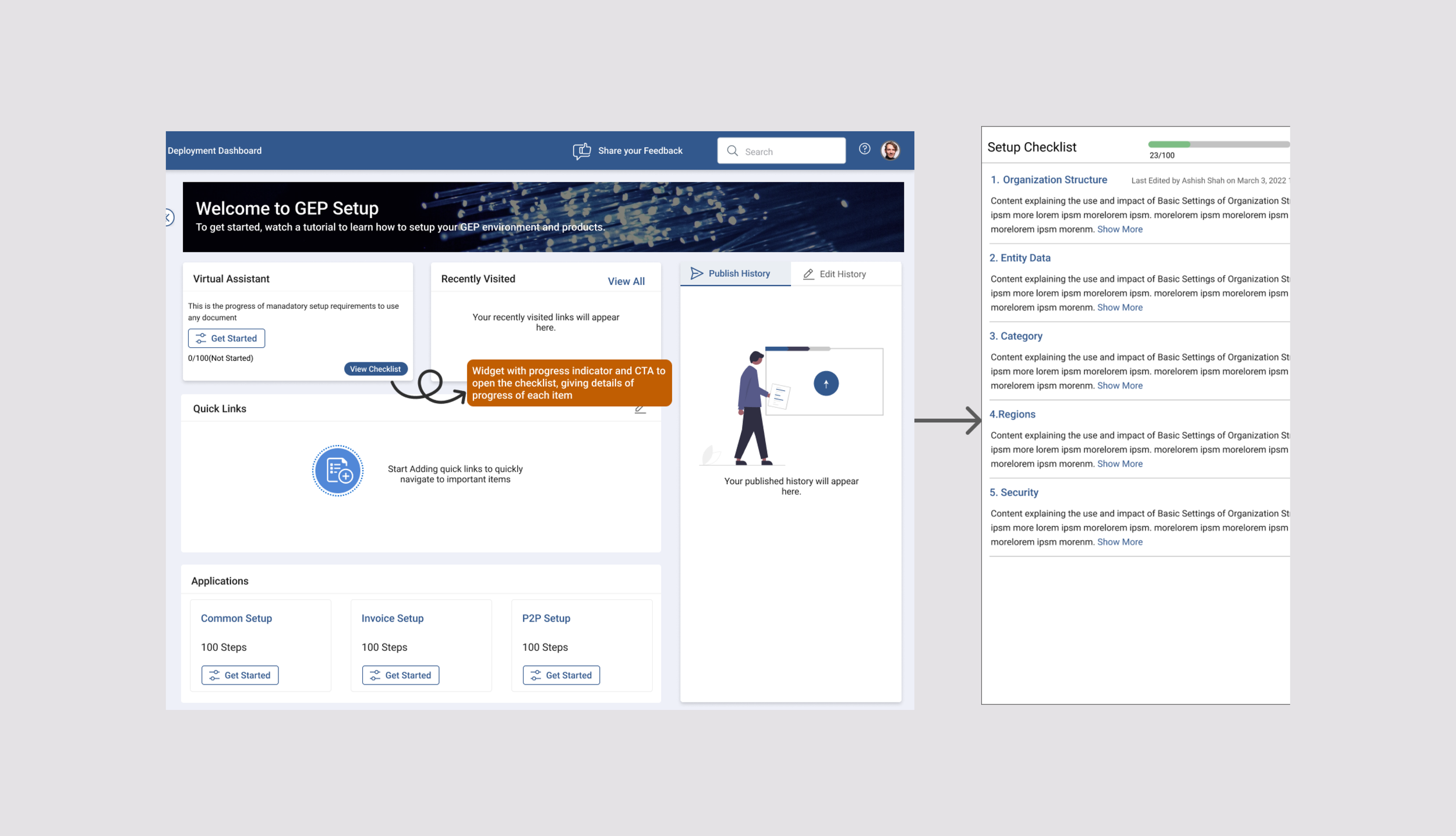
Using this information we came up with idea of introducing a widget for guided setup on the home screen
Variation 1
Variation 2
Early feedback on wireframes
Based on user feedback, we found the users leaned towards the second variation, because:
- It gave them an overview of the progress upfront
- The checklist helped them know what to expect
- They liked the idea of the application wise setup; since most clients went live with one application at a time, this validated our earlier research findings
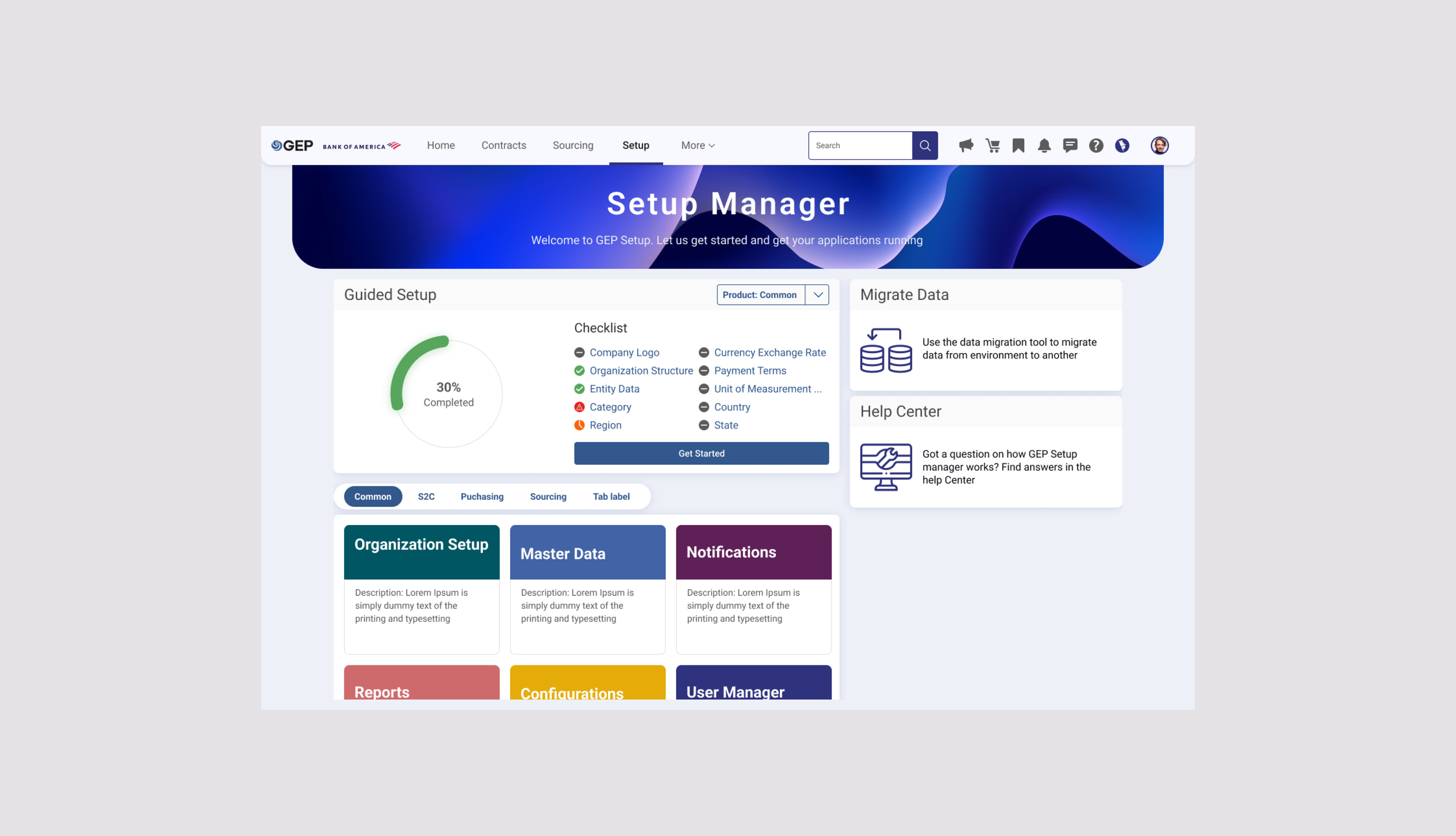
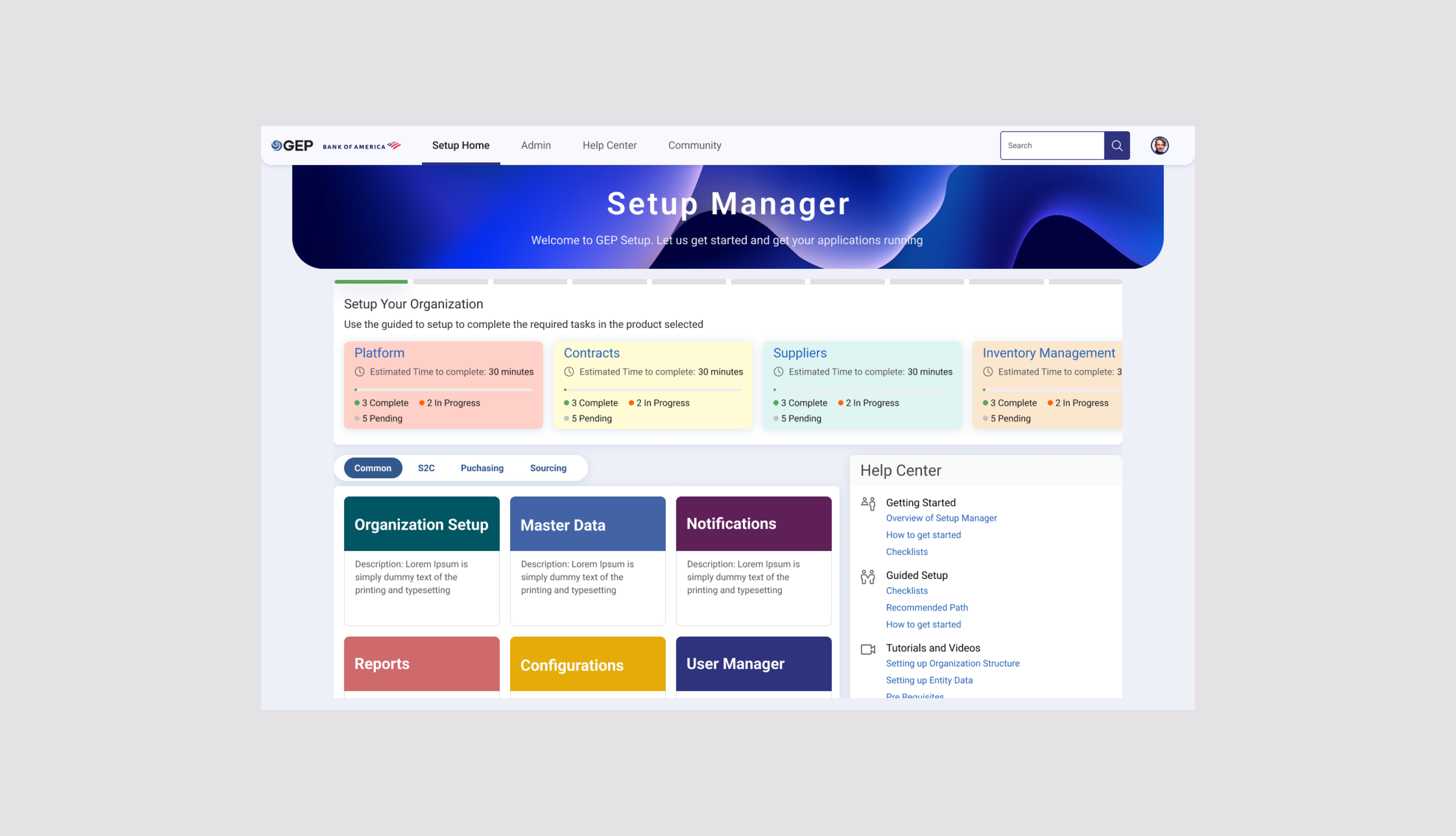
Visual Design
Variation 1
Variation 2
User Testing Visual Design
We conducted focus groups to gather feedback on these designs. The feedback we got was:
- Too much information on the home screen. Combining the Guided Setup Widget, which gave details on progress for each module and displaying the home screen elements at the same time overwhelmed the users
- The number of items in each application’s checklist were variable, the limited space in the widget was not going to be enough for some applications
- Based on client - there could be a long list of applications (20-25), the switcher for application or the scroll were not the best ways to display all the applications
- The experienced users found the screen to be cluttered whereas the new users found the information on the widget helpful
These findings made us go back to the drawing board and we decided to rethink this journey from scratch.
Journey Based on persona
We came up with the idea of giving the user the option to choose their journey. Whenever a user would login to a new domain for the first time they would have an option to pick what they wanted.
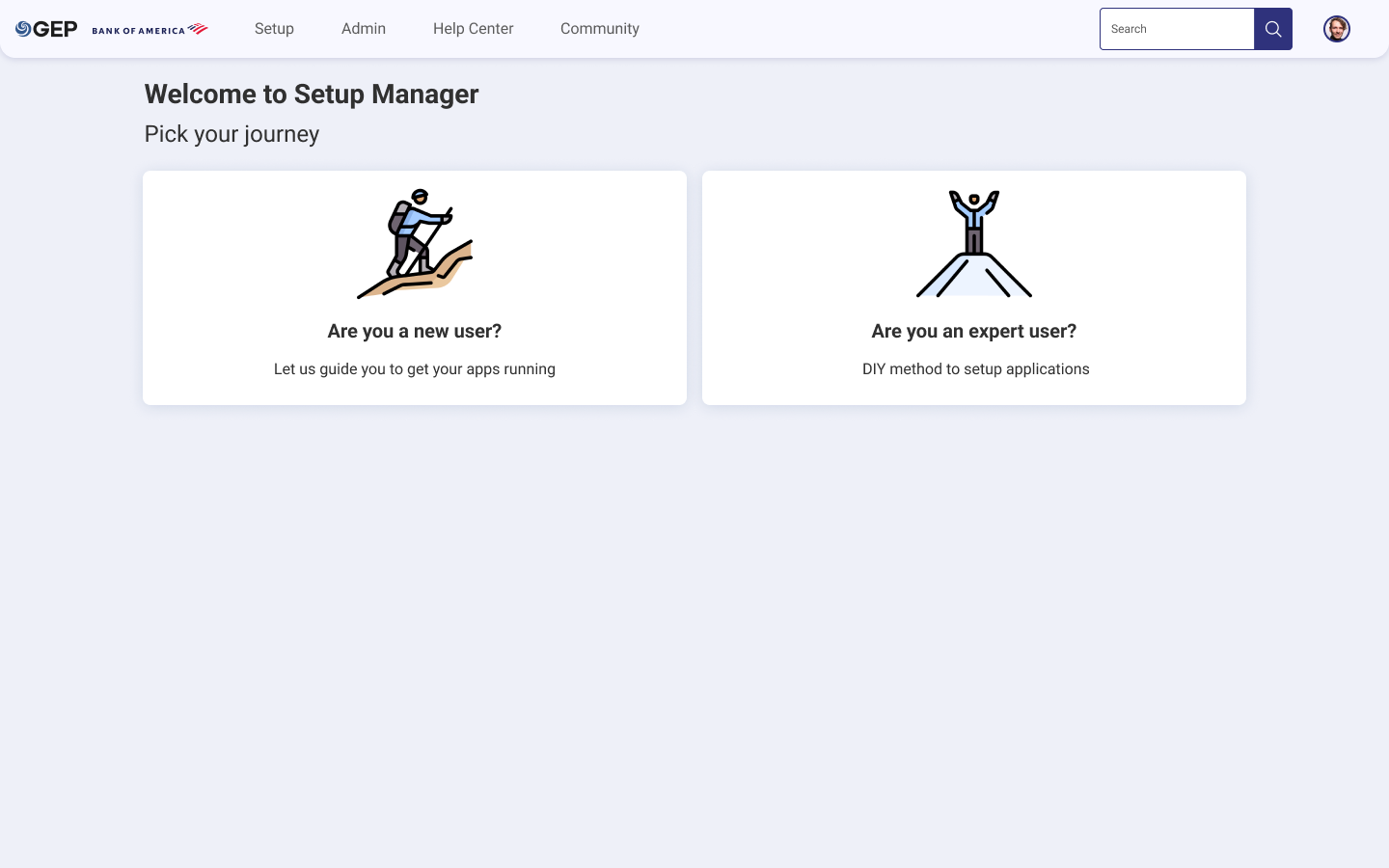
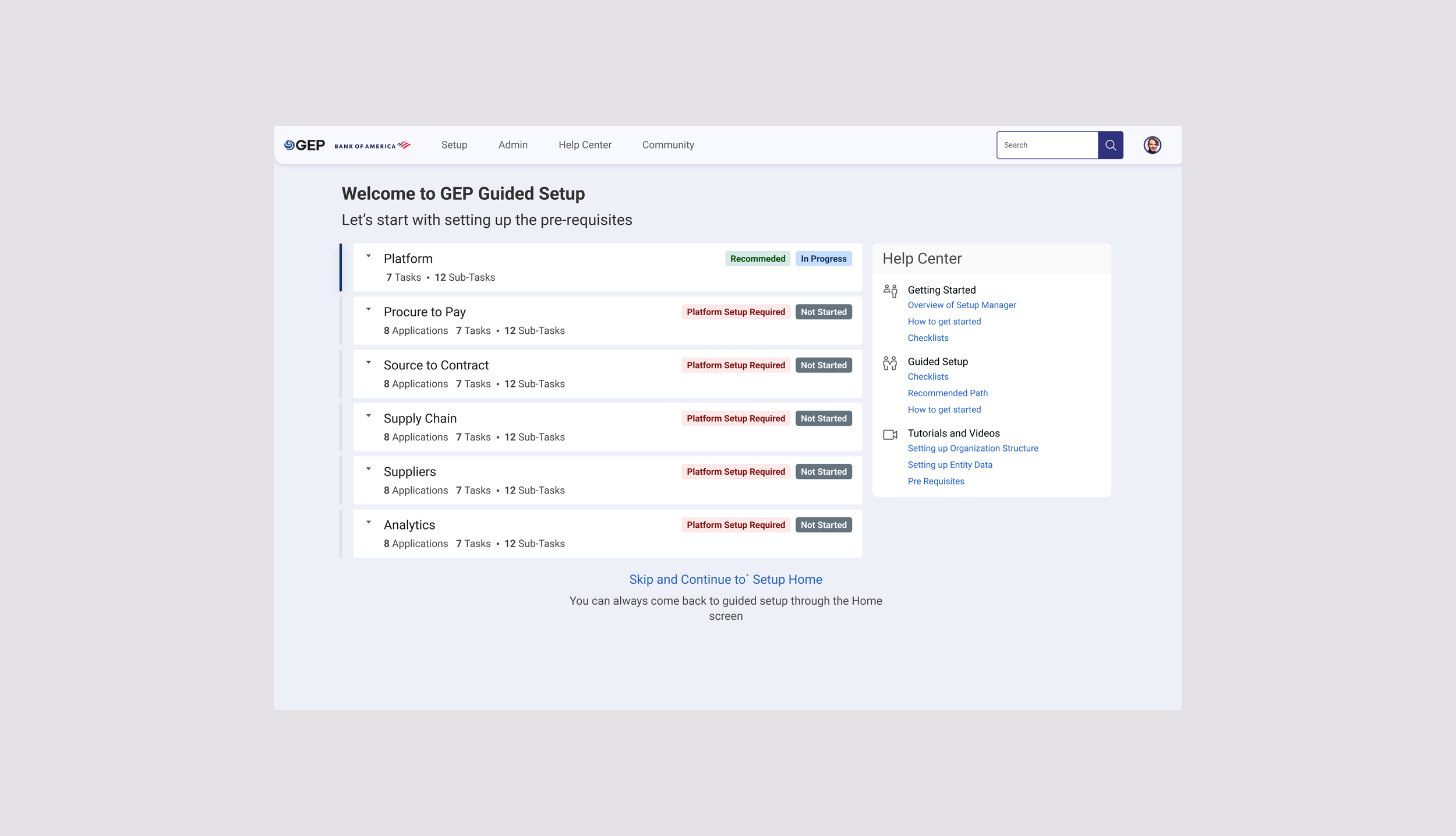
If the user chose the first option they would be taken to the guided setup
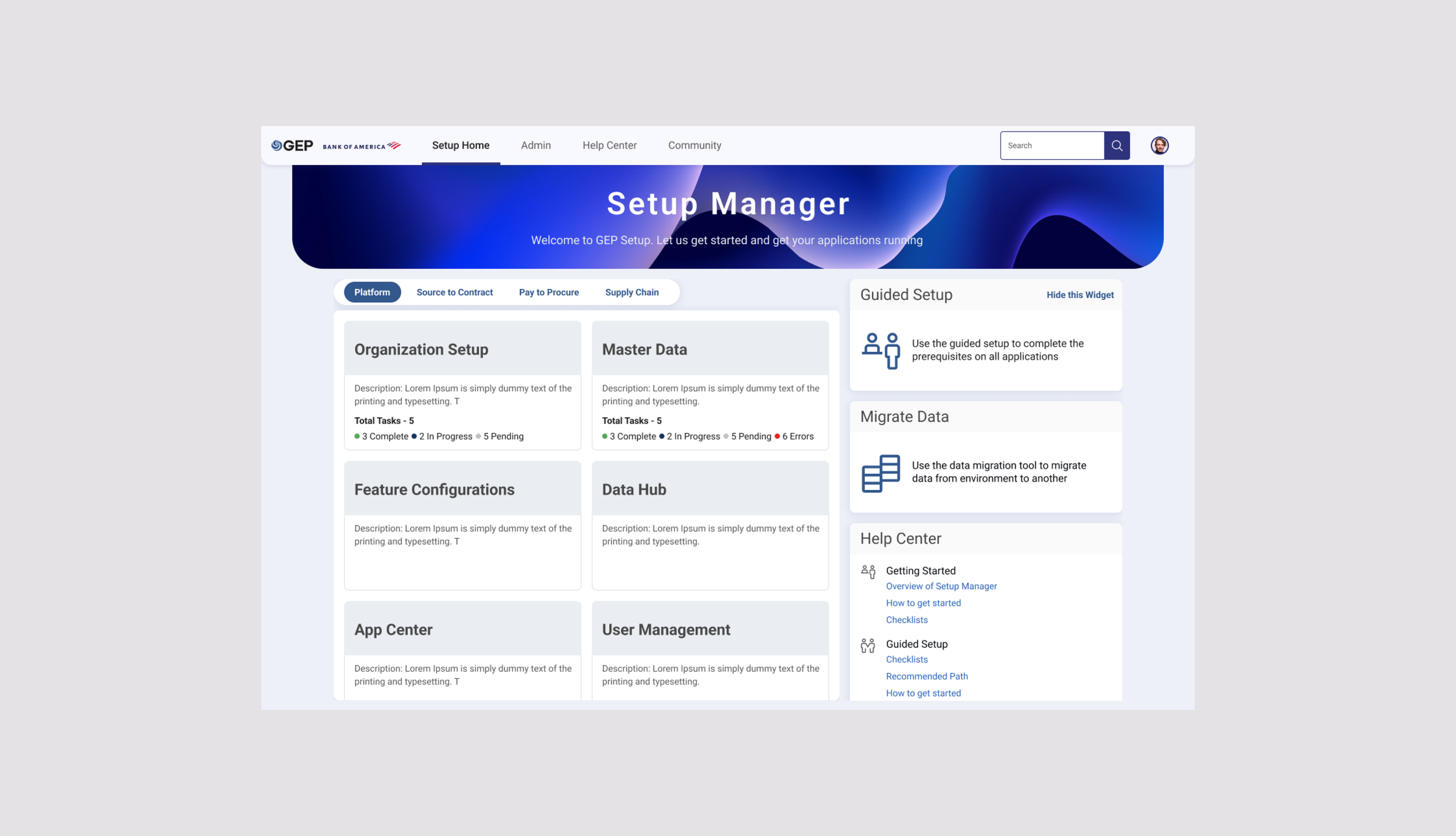
If the user chose the second journey (the DIY method) they’d be taken to the home screen
Prototype
Feedback
We conducted user testing to gather feedback and these designs were well received. We spoke to 12 users that consisted of a mix of new and existing users. The feedback we received was:
Things that worked
- The progress tracking and drill down of checklists for each application upfront was helpful
- Once the users were done with a particular item, they got a list of next recommended steps to complete - this feature was appreciated by all users
- The separation of journey for new users and existing users decluttered the previous home screen
Areas of improvement
- Users wanted to have a feature to stop showing an application once it's setup was complete
- Some users wanted in-context help documentation link; some steps are complex and users need help understanding what they mean
Next Steps
We are currently working with development and product teams to implement the designs and launch guided setup for the users.